
How to Enable YOLO Mode in Amp
You don't need to enable YOLO mode in Amp: it is already on. Amp's own docs say it "does not ask for approval before running tools". The real question with Amp is the opposite one, how to make it ask, and the answer is a plugin.
This page is one of our YOLO mode guides, and part of our guide to YOLO mode in every coding agent. Everything below was checked against Amp's docs (ampcode.com/docs, October 2026) and the source of the amp-acp adapter (tao12345666333/amp-acp, version 0.10.0) on October 30, 2026.
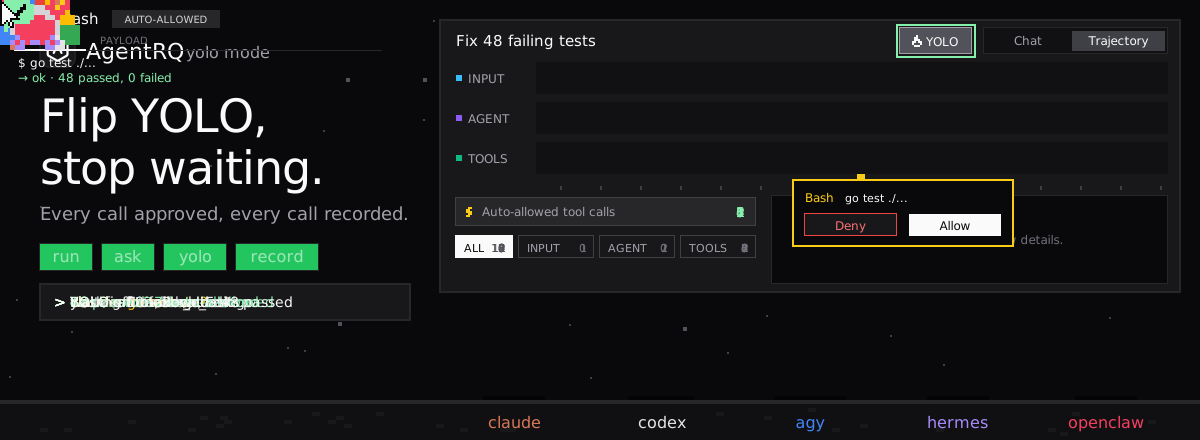
Does Amp Have a YOLO Mode?
Not as a switch, because there is nothing to switch off. Amp reads files, edits code and runs shell commands without prompting you. Its docs point at two ways to limit that: a custom policy plugin, or an isolated development environment when you work with untrusted repositories or MCP servers.
Amp's docs don't describe a local sandbox. Amp's Orbs run a thread in a remote environment instead of on your machine, which is the nearest thing to one.
How to Make Amp Ask Before Running Tools
A Permissions Plugin
Amp plugins can hook tool.call and return allow, or reject-and-continue with a message for the model. They can also open a confirmation dialog with ctx.ui.confirm. Amp's docs include a full example that asks before destructive git commands. Save a plugin in .amp/plugins/, then run plugins: reload. Workspace admins can publish one as a global workspace plugin, so everyone gets the same gate.
A cut-down version of that example, which refuses git push --force outright:
Settings
Two settings in ~/.config/amp/settings.json (or a workspace .amp/settings.json) cut what Amp can do at all:
- →
amp.tools.disableturns off tools by name, with*globs. - →
amp.mcpPermissionsallows or rejects MCP servers by command or URL. The first matching rule wins, and a server no rule matches is allowed.
Amp Over ACP: The Bypass Setting
AgentRQ reaches Amp through amp-acp, a community ACP adapter that drives the Amp CLI. It gives each session three settings:
| Setting | Values |
|---|---|
| Execution Environment | Local, Orb |
| Permissions | Default, Bypass |
| Amp Mode | low, medium, high, ultra, plus modes from Amp plugins |
Default uses Amp's configured behavior, which means your plugins still run. Bypass passes --dangerously-allow-all to the Amp CLI and, in the adapter's words, "force-allows every tool call, overriding any configured permissions plugin". New sessions start on Default. Keep it there if you rely on a plugin.
In an Orb session, permissions, MCP servers and enabled tools from your machine don't apply. Configure them on the Amp project instead.
How to Enable YOLO Mode in Amp Through AgentRQ
Here Amp differs from most agents on this list. AgentRQ's YOLO switch works by answering an agent's ACP permission requests, and amp-acp never sends one. Amp decides for itself, so the switch has nothing to approve.
Approve From the AgentRQ Task Instead of the Terminal
Connect Amp to an AgentRQ workspace through the ACP Gateway (Amp setup guide):
Amp then picks up tasks from the workspace and streams its messages and tool calls into them. You won't get approval prompts in AgentRQ, because Amp does not ask. A plugin's confirmation dialog is Amp's own UI and is not forwarded over ACP. What AgentRQ still gives you is the task itself, replies from the web, your phone or Slack, and a record of every call Amp made.
Turn On YOLO for One Task
AgentRQ's per-task YOLO mode toggle approves permission requests automatically. Amp sends none, so for Amp the toggle changes nothing: it already runs every call. The toggle still matters for other agents in the same workspace. Scheduled tasks, event triggers and workflow steps have the same switch.
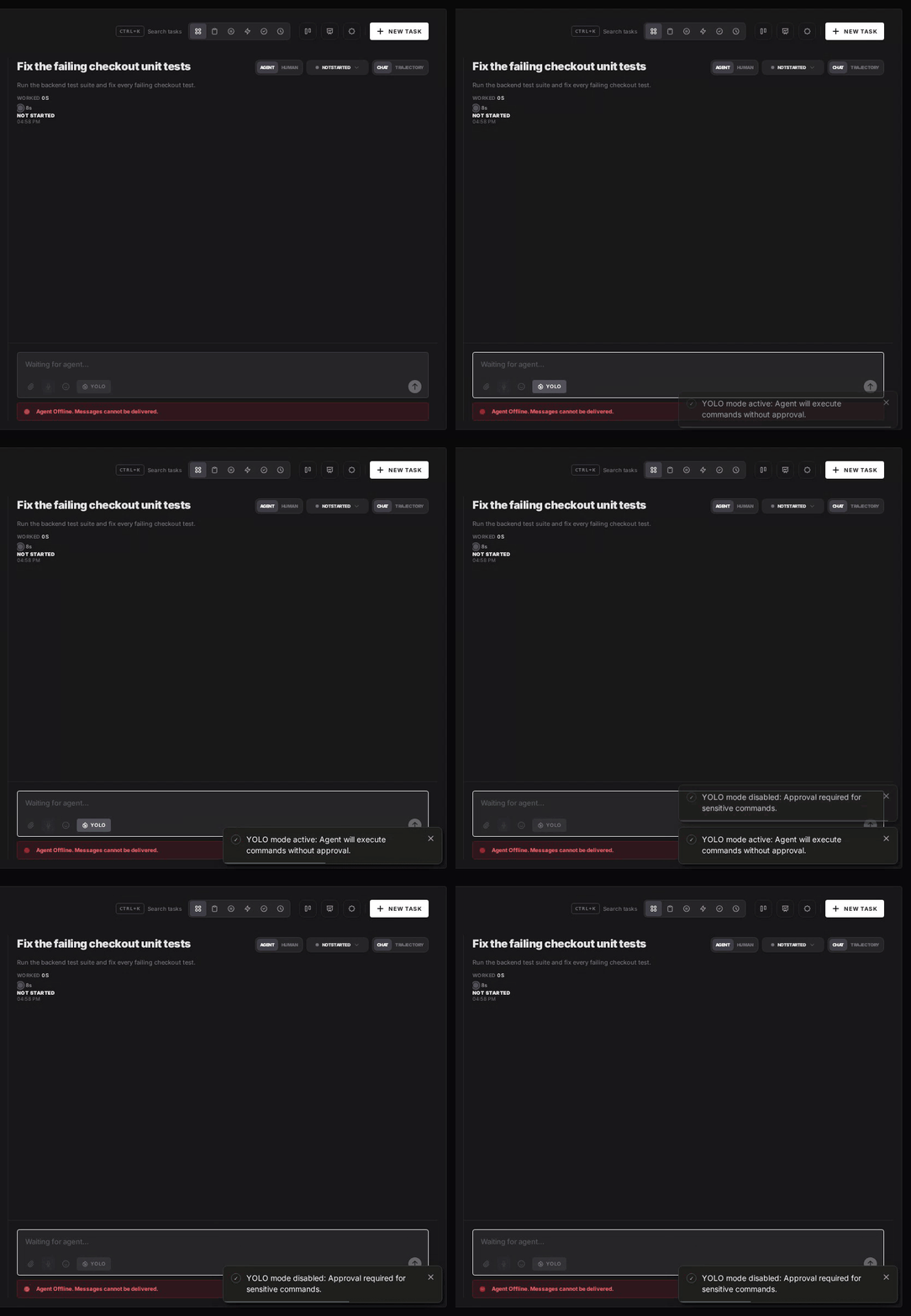
Turn YOLO On or Off in Workspace Settings
To make YOLO the default for a whole workspace, open the workspace, go to Settings, choose the Automations tab and flip YOLO Mode (Execute All). Click Update Workspace to save. Switch it off the same way. The switch is off by default. Like the task toggle, it does not change how Amp behaves.
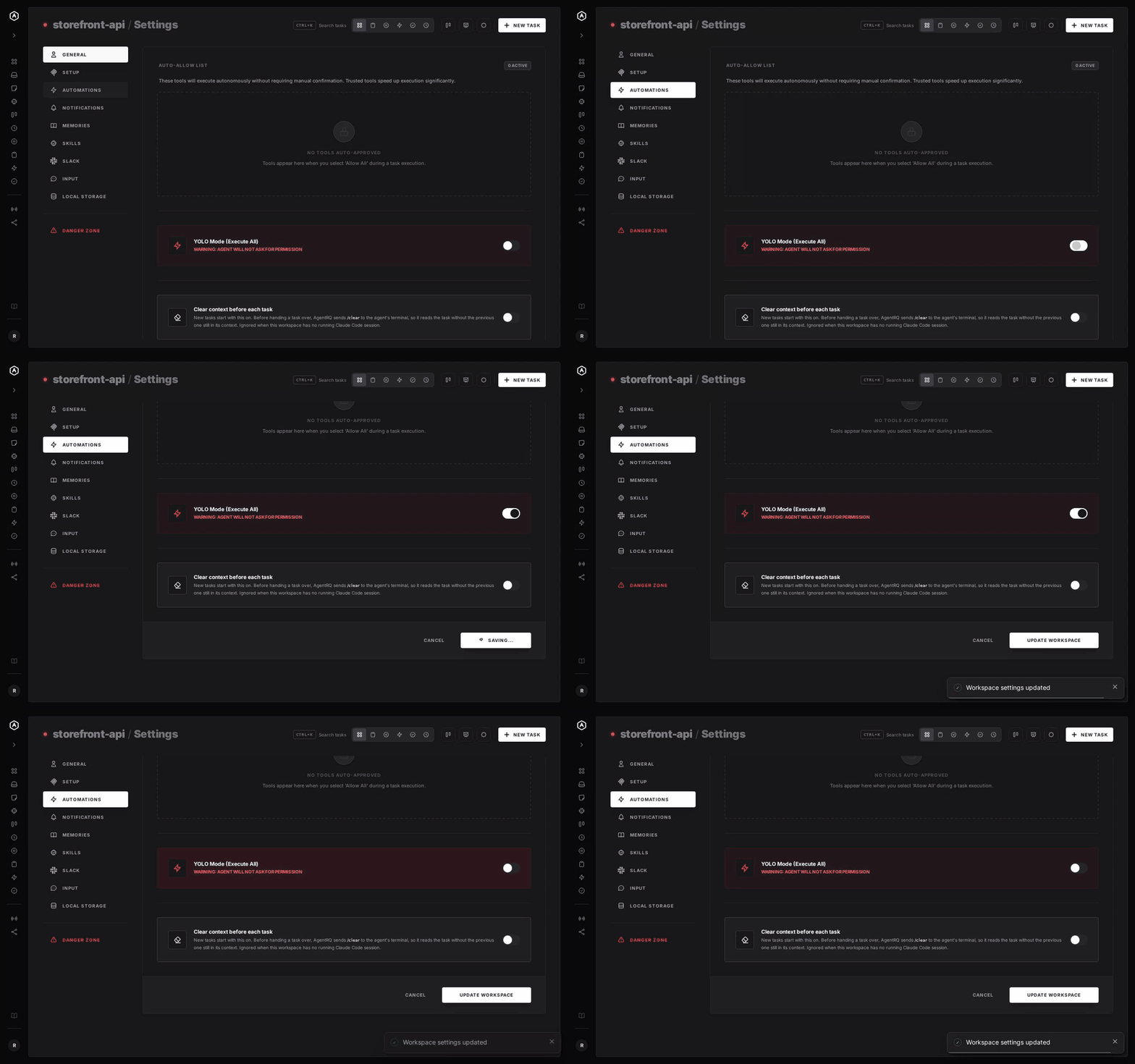
A Safe YOLO Setup for Amp
- → Gate with a plugin. A
tool.callplugin that rejects the commands you never want, such as force pushes or deletes outside the repo, works whether or not anyone is watching. - → Leave Permissions on Default. Bypass overrides your plugins.
- → Disable what you don't need.
amp.tools.disableandamp.mcpPermissionsshrink what Amp can reach. - → Bring your own sandbox. Run Amp in a container or a throwaway clone, or use an Orb.
- → Commit first. Start every task from a clean git tree, so any change is one
git resetaway. - → Read the record. The tool call history lists every call Amp made in the task.
FAQ
Does Amp have a YOLO mode? It doesn't need one. Amp runs tools without asking for approval by default, so it always behaves like YOLO mode.
How do I make Amp ask before running commands? Write a plugin that hooks tool.call. It can allow a call, reject it, or ask you with ctx.ui.confirm. Amp's docs have a full example for destructive git commands.
What does Bypass do in amp-acp? It passes --dangerously-allow-all to the Amp CLI, which force-allows every tool call and overrides any permissions plugin. Default keeps your plugins in charge.
Does AgentRQ's YOLO toggle change anything for Amp? No. The toggle approves ACP permission requests, and amp-acp never sends any. Amp's tool calls still show up in the task's history.
Does Amp have a sandbox? Amp's docs don't describe a local one. Use a container or a throwaway clone, or run the thread in an Amp Orb.
For every other agent, see what YOLO mode is and how to turn it on in every coding agent.