
How to Enable YOLO Mode in DeepAgents
DeepAgents, LangChain's agent framework, has no YOLO switch because its ready-made ACP agent, npx deepagents-acp, never asks for permission. Out of the box it already behaves like YOLO mode. The real question is the opposite one: how to make it ask. The answer is interruptOn, which you set in code, not with a flag.
This page is one of our YOLO mode guides, and part of our guide to YOLO mode in every coding agent. Everything below was checked against the deepagents-acp source and README (langchain-ai/deepagentsjs, deepagents-acp 0.1.39, and 0.1.7, the version in the ACP registry) on October 30, 2026.
Does DeepAgents Have a YOLO Mode?
No, and it does not need one. DeepAgents only asks for approval on the tools you list in interruptOn. The deepagents-acp command takes flags for the name, model, workspace, skills and memory, but none for interruptOn, so the agent it starts asks about nothing. It works on the files in your workspace directly.
DeepAgents' own README is clear about the trust model: "Deep Agents follows a 'trust the LLM' model. The agent can do anything its tools allow. Enforce boundaries at the tool/sandbox level, not by expecting the model to self-police."
Its ACP server offers three session modes, Agent Mode, Plan Mode and Ask Mode. In the source we checked, switching between them only records the mode name. It does not change which tools run or whether anything asks.
How to Make DeepAgents Ask First
Approvals need a small server of your own. DeepAgentsServer from the deepagents-acp package takes the same agent settings plus interruptOn, and bridges each interrupt to an ACP permission request:
The client then sees Allow once, Reject, Always allow and Always reject. The "always" answers last for the session.
How to Enable YOLO Mode in DeepAgents Through AgentRQ
AgentRQ's YOLO switch works by answering an agent's ACP permission requests. The stock deepagents-acp agent sends none, so the switch has nothing to approve. With your own interruptOn server, it works like it does for any other agent.
Approve From the AgentRQ Task Instead of the Terminal
Connect DeepAgents to an AgentRQ workspace through the ACP Gateway (DeepAgents setup guide):
That runs the stock agent. You get the task, replies from the web, your phone or Slack, and a record of every call it made, but no approval prompts, because it does not ask.
To approve from AgentRQ, start your own server instead, for example saved as safe-agent.mjs, and hand its command to the gateway:
Each permission request now shows up in the AgentRQ task on the web, on your phone or in Slack, together with the command or edit it is asking about. Answer Allow Once, Always Allow or Deny from wherever you are, and DeepAgents carries on. If nobody answers within 30 minutes, the gateway cancels the turn instead of guessing. Change the limit with --permission-timeout.
Turn On YOLO for One Task
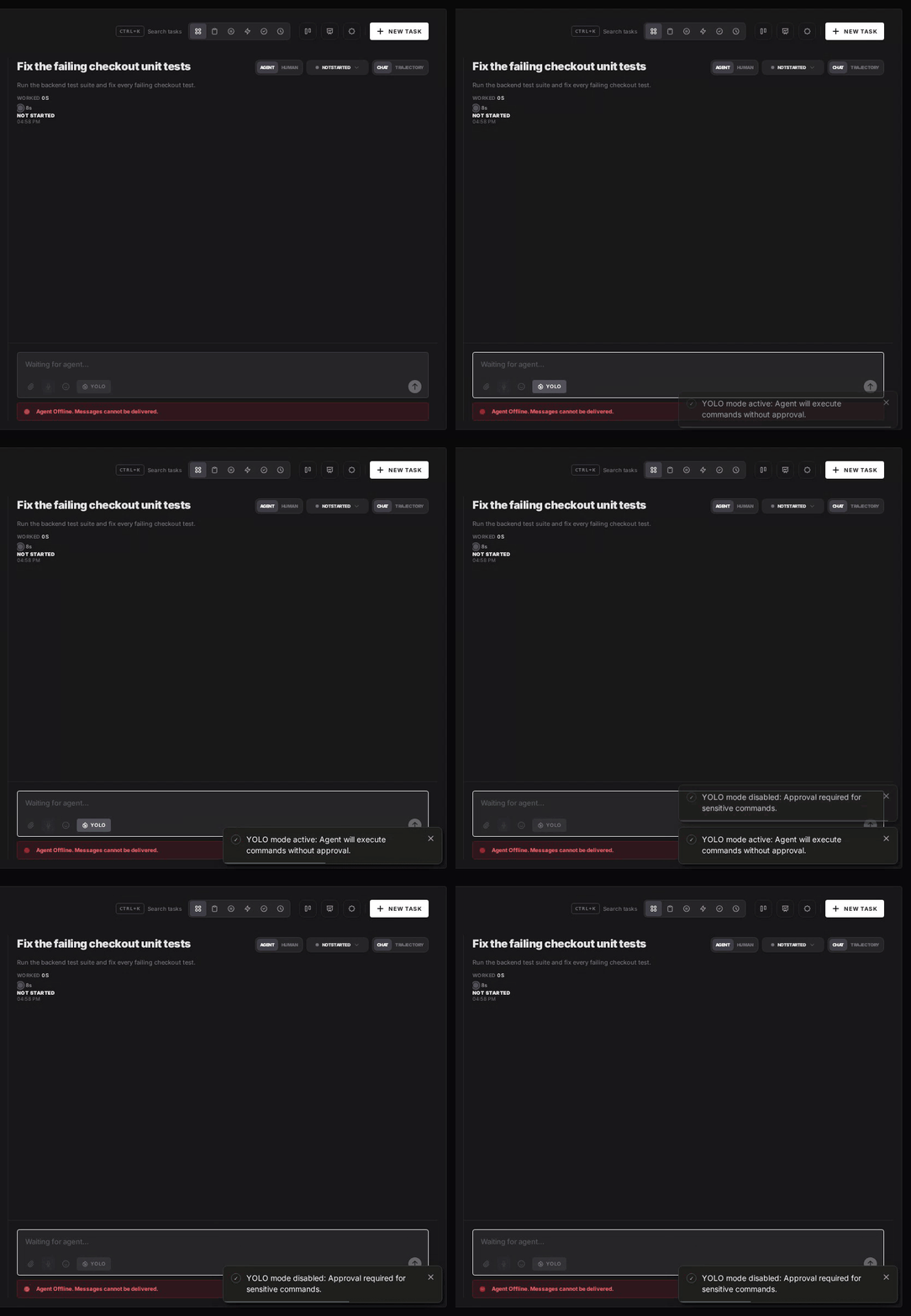
Flip the YOLO toggle on a task, or when you create it, to put just that task in YOLO mode. With an interruptOn server, every permission request in that task is approved automatically and DeepAgents never waits, while every other task in the workspace still asks. With the stock agent the toggle changes nothing, since it already runs every call. Scheduled tasks, event triggers and workflow steps have the same switch, so an unattended job can run in YOLO while your interactive work stays supervised.
Turn YOLO On or Off in Workspace Settings
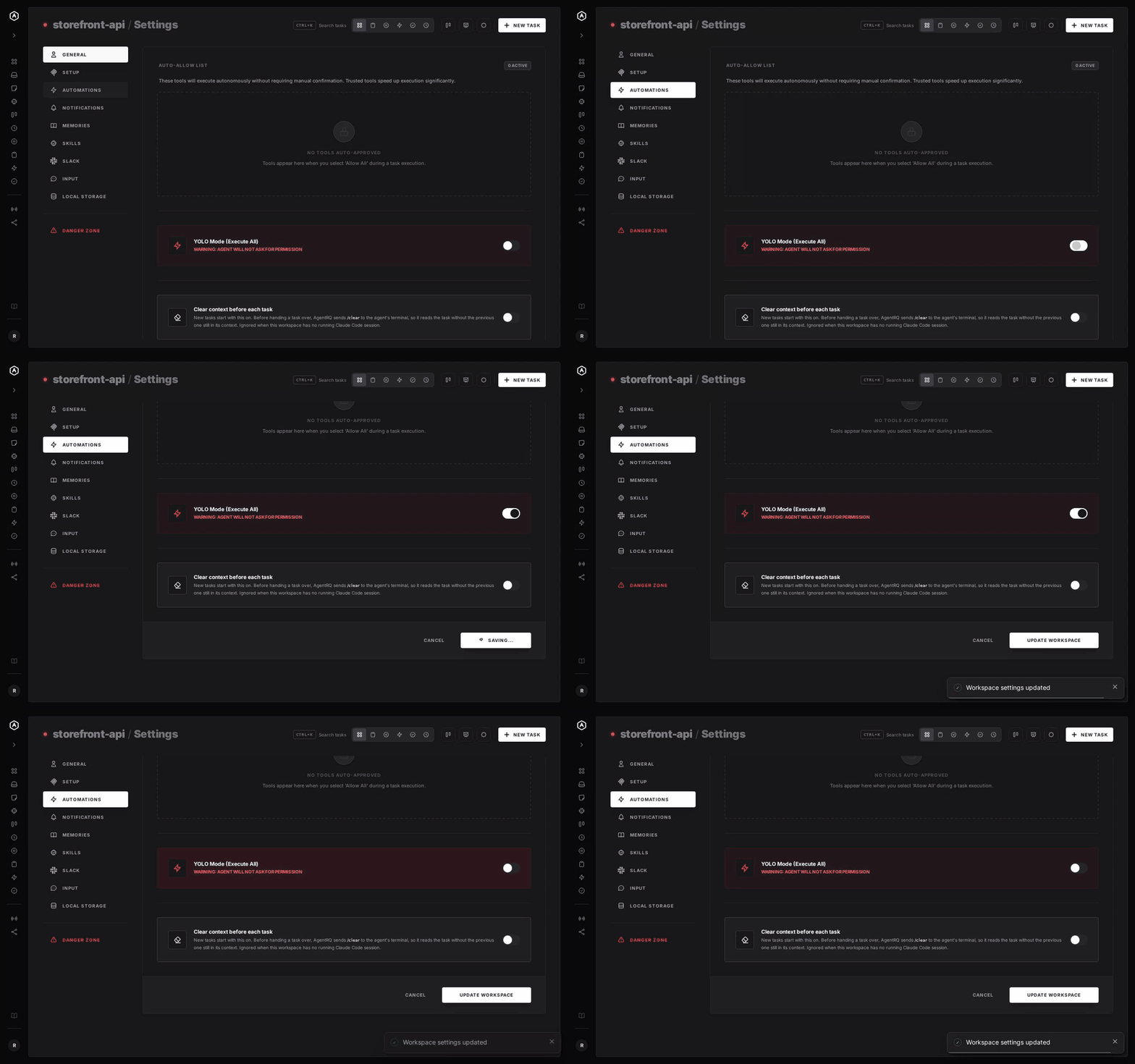
To make YOLO the default for a whole workspace, open the workspace, go to Settings, choose the Automations tab and flip YOLO Mode (Execute All). Click Update Workspace to save. Switch it off the same way. The switch is off by default, and every permission request in the workspace is approved automatically while it is on.
A Safe Setup for DeepAgents
- → Decide what asks. Put
write_file,edit_fileandexecuteininterruptOnand leave the read tools out, so routine calls run and changes wait for you. - → Allow the boring tools, not everything. Always Allow adds the tool to the workspace's auto-approved list, so the routine calls stop asking and the risky ones still do. Prune that list in workspace settings now and then.
- → Bring your own sandbox. DeepAgents leaves boundaries to the tools and the environment, so run it in a container or a throwaway clone.
- → Commit first. Start every task from a clean git tree, so any change is one
git resetaway. - → Read the record. The tool call history lists every call the task made, including the ones that were auto-approved.
FAQ
Does DeepAgents have a YOLO mode? No. Its ready-made ACP agent never asks for permission, so it already behaves like YOLO mode.
How do I make DeepAgents ask before writing files or running commands? List those tools in interruptOn when you create a DeepAgentsServer. The deepagents-acp command has no flag for it.
Do DeepAgents' Agent, Plan and Ask modes change permissions? No. In the source we checked, the ACP server only records which mode you picked.
Does AgentRQ's YOLO toggle change anything for DeepAgents? Only if you run your own server with interruptOn. The stock agent sends no permission requests, though its tool calls still show up in the task's history.
For every other agent, see what YOLO mode is and how to turn it on in every coding agent.