
How to Enable YOLO Mode in Devin
Devin CLI's YOLO mode is called Bypass. Start it with devin --permission-mode bypass, or type /bypass in a running session. /yolo and /dangerous are aliases. Devin also has a safer sibling, Autonomous, which only runs inside its sandbox.
This page is one of our YOLO mode guides, and part of our guide to YOLO mode in every coding agent. Everything below was checked against the Devin CLI docs at docs.devin.ai and the docs and changelog shipped with Devin CLI 3000.11.234 on October 30, 2026.
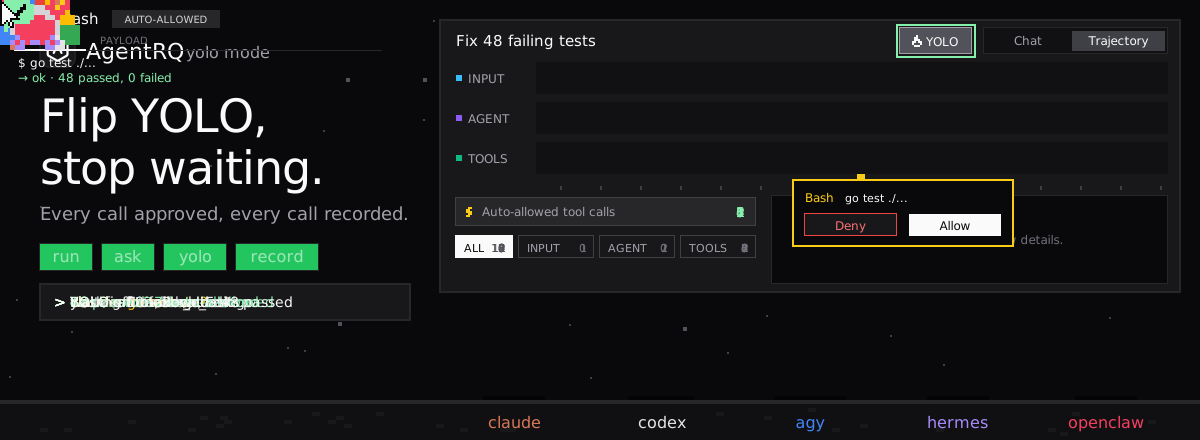
Devin's Permission Modes
| Mode | What runs without asking |
|---|---|
| Normal (default) | Read-only operations. Writes and shell commands ask. |
| Accept Edits | Plus file edits inside the workspace. Commands and writes outside it ask. |
| Smart | Plus actions a fast model judges safe. Package installs, mutating git, rm and sudo always ask. |
| Bypass | Every tool call. |
| Autonomous | Shell commands and fetches, inside the sandbox only. Direct edits and writes still ask. |
Devin also has Plan mode (/plan), for agreeing on an approach before any edits, and /ask for one-off questions with no code changes.
How to Enable YOLO Mode in Devin
| Where | Bypass |
|---|---|
| Command line | devin --permission-mode bypass |
| Environment | DEVIN_PERMISSION_MODE=bypass |
| In a session | /bypass, /yolo, /dangerous, or /mode bypass |
| Keyboard | Shift+Tab cycles Normal, Accept Edits, Smart, Bypass, Autonomous |
| Config | permission_mode in ~/.config/devin/config.json |
The command reference lists dangerous as the flag value, with yolo and bypass as aliases, so any of the three works. permission_mode is a user-config setting only and sets the mode new sessions start in.
Bypass does not override your organization. Organization-level deny and ask rules still apply in Smart, Bypass and Autonomous, and project or user config cannot override them.
The Halfway Options
Accept Edits and Smart sit between Normal and Bypass. For finer control, add allow, deny and ask rules to the permissions section of .devin/config.json (project), .devin/config.local.json or your user config, for example "Exec(git status)". At a prompt, the number keys answer in one keypress: 1 once, 2 for the session, 3 for the project, 4 always. Press e to edit a command before approving it.
Devin's Sandbox
Bypass runs without a sandbox. The sandbox is separate: devin --sandbox (a research preview) wraps the processes Devin's exec tool starts, using seatbelt on macOS and bwrap with seccomp on Linux. It is not available on Windows. Inside it, the only permission mode is Autonomous:
Shell commands and fetches run without asking because the sandbox limits what they can reach, and network domains can be filtered in the config's sandbox section. If --sandbox cannot be set up, Devin refuses to start rather than run unsandboxed.
How to Enable YOLO Mode in Devin Through AgentRQ
Bypass covers a whole session. AgentRQ lets you make the decision per task, and answer from somewhere other than the terminal.
Approve From the AgentRQ Task Instead of the Terminal
Connect Devin to an AgentRQ workspace through the ACP Gateway (Devin setup guide):
The gateway runs devin acp. Leave permission_mode unset (or normal) in your user config and don't set DEVIN_PERMISSION_MODE, or Devin approves calls before AgentRQ sees them. Devin's ACP server sends its permission prompts to the client, and they show up in the AgentRQ task on the web, on your phone or in Slack, together with the command or edit they are about. Answer Allow Once, Always Allow or Deny from wherever you are, and Devin carries on. If nobody answers within 30 minutes, the gateway cancels the turn instead of guessing. Change the limit with --permission-timeout.
Turn On YOLO for One Task
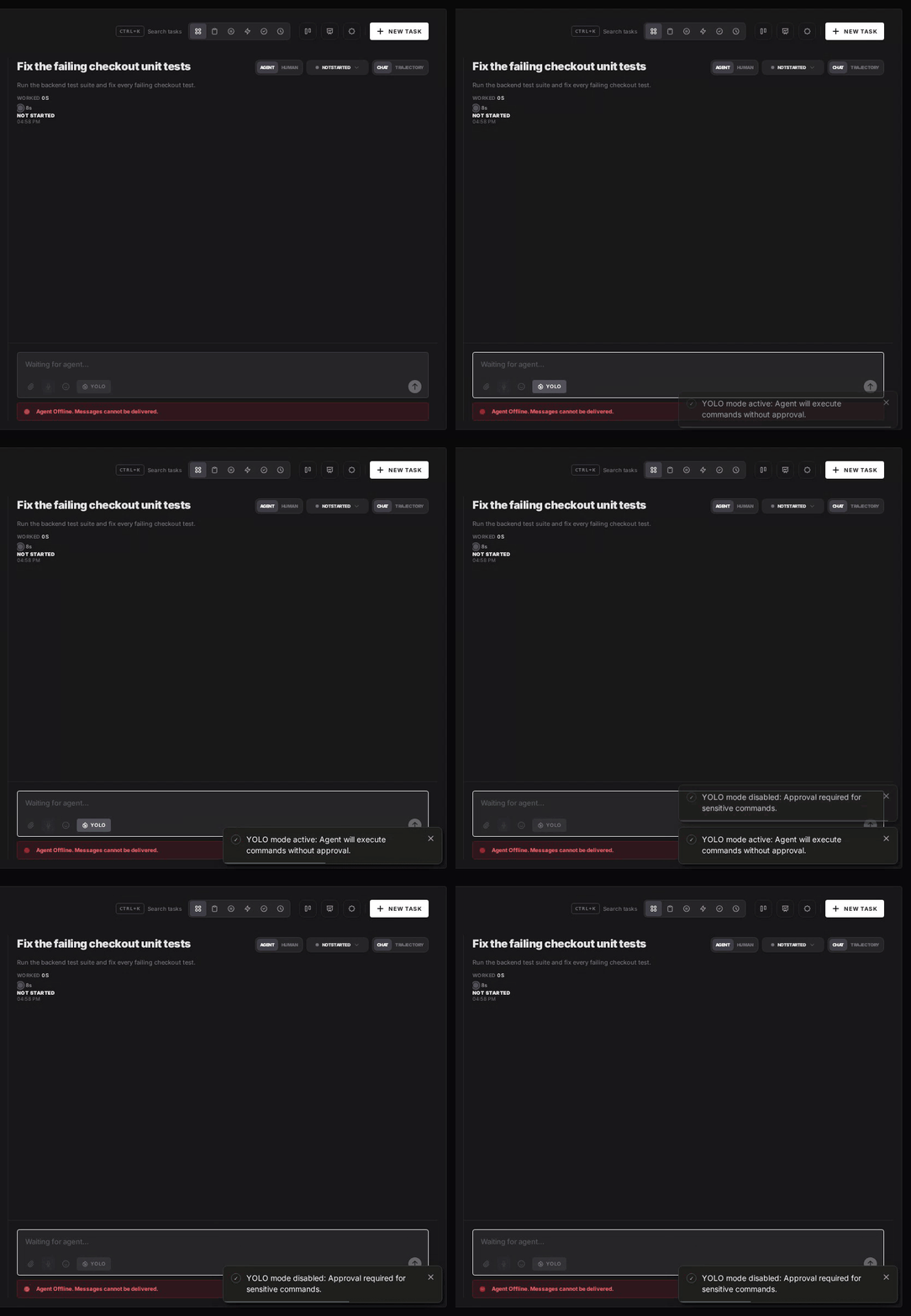
Flip the YOLO toggle on a task, or when you create it, to put just that task in YOLO mode. Every permission request in it is approved automatically and Devin never waits, while every other task in the workspace still asks. Scheduled tasks, event triggers and workflow steps have the same switch, so an unattended job can run in YOLO while your interactive work stays supervised.
Turn YOLO On or Off in Workspace Settings
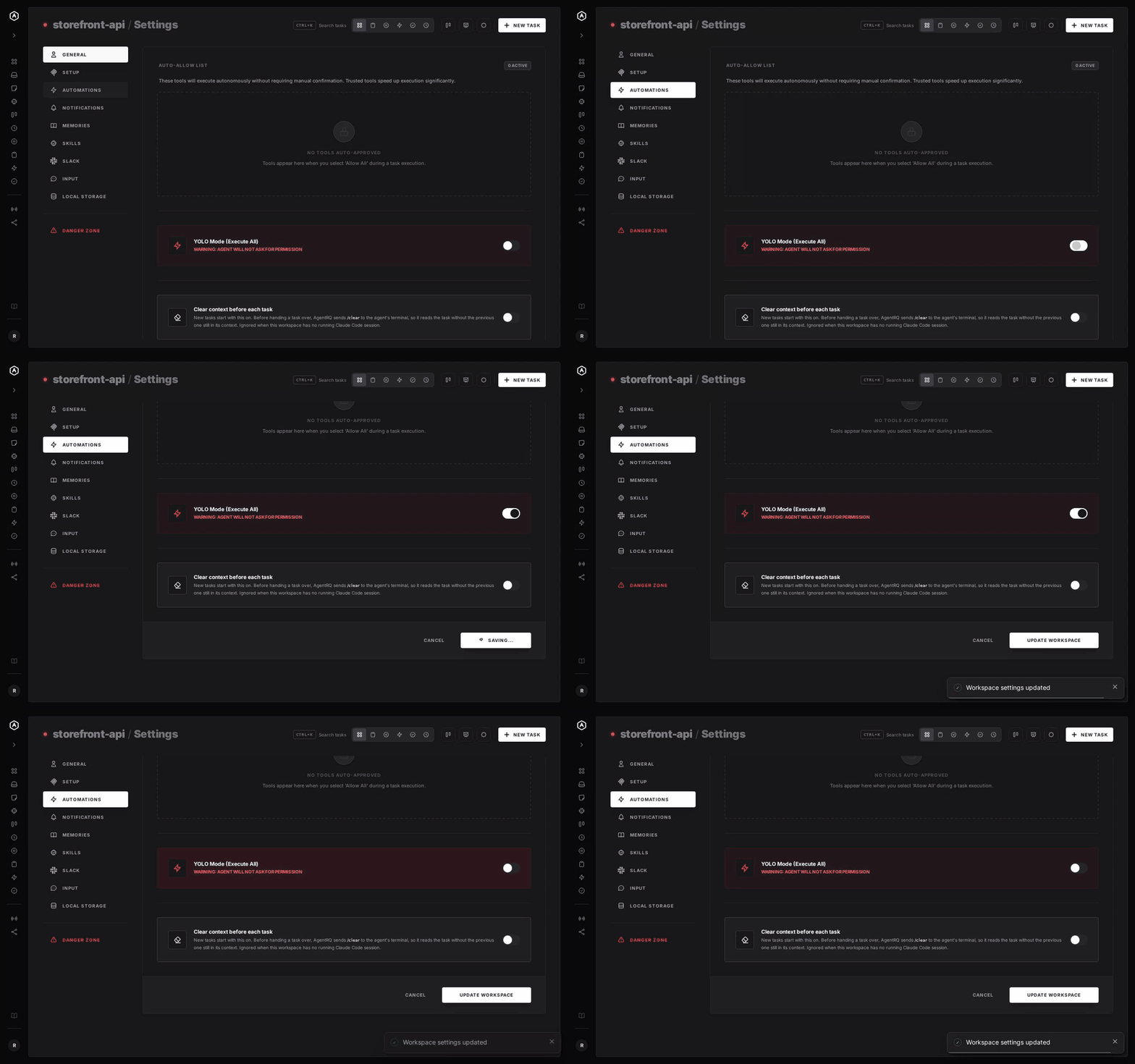
To make YOLO the default for a whole workspace, open the workspace, go to Settings, choose the Automations tab and flip YOLO Mode (Execute All). Click Update Workspace to save. Switch it off the same way. The switch is off by default, and every permission request in the workspace is approved automatically while it is on.
A Safe YOLO Setup for Devin
- → Allow the boring tools, not everything. Always Allow adds the tool to the workspace's auto-approved list, so the routine calls stop asking and the risky ones still do. Prune that list in workspace settings now and then.
- → Put hard limits in deny rules. A
denyrule in Devin's config still blocks a command when a task runs in YOLO. - → Leave the workspace-wide switch off. Turn YOLO on per task instead, so it never outlives the job you trusted.
- → Consider the sandbox. On macOS and Linux, Devin's
--sandboxlets shell commands write only inside the workspace and directories you grant. For full isolation, run YOLO tasks in a container or a throwaway clone. - → Read the record. The tool call history lists every call the task made, including the ones that were auto-approved.
FAQ
How do I enable YOLO mode in Devin? Start it with devin --permission-mode bypass, or type /bypass (or /yolo) in a running session.
What is the difference between Bypass and Autonomous in Devin? Bypass approves every tool call with no sandbox. Autonomous only works with --sandbox, approves shell commands and fetches, and still asks for direct edits and writes.
How do I make Bypass the default in Devin? Set permission_mode in ~/.config/devin/config.json, or set DEVIN_PERMISSION_MODE.
Does Devin have a sandbox? Yes, as a research preview. devin --sandbox isolates shell commands on macOS and Linux, not Windows.
How do I approve Devin commands remotely? Connect Devin to AgentRQ through the ACP Gateway. Its permission requests show up in the task on the web, your phone or Slack.
For every other agent, see what YOLO mode is and how to turn it on in every coding agent.