
How to Enable YOLO Mode in Hermes Agent
To run Nous Research's Hermes Agent in YOLO mode, start it with hermes --yolo, or type /yolo in a running session. Hermes asks less than most agents to begin with: its approvals cover dangerous shell commands, not every tool call, and a hardline blocklist stays on even in YOLO.
This page is one of our YOLO mode guides, and part of our guide to YOLO mode in every coding agent. Everything below was checked against the Hermes Agent source and security docs (NousResearch/hermes-agent, main branch at commit 7020ea3, after release v2026.9.24) on October 30, 2026.
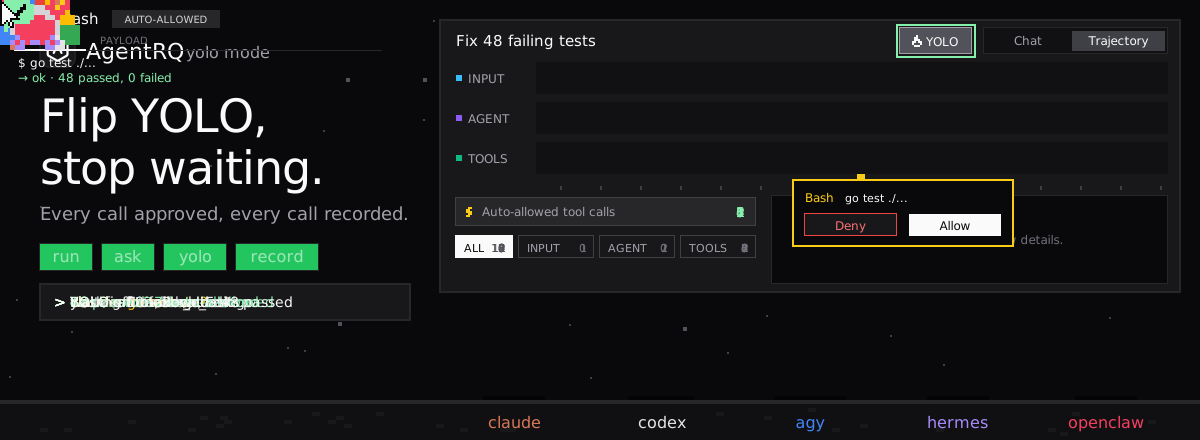
What YOLO Mode Turns Off in Hermes Agent
Hermes checks each shell command against a list of dangerous patterns, such as recursive deletes, world-writable chmod and docker stop. Only matches ask. How they ask depends on approvals.mode in ~/.hermes/config.yaml:
| Mode | What happens to a dangerous command |
|---|---|
smart (default) |
a helper model approves low-risk ones, denies clearly dangerous ones, and asks about the rest |
manual |
always asks |
off |
never asks, same as YOLO |
YOLO skips those prompts and the trust prompt for write tools on untrusted MCP servers. It does not skip:
- → The hardline blocklist. Commands like
rm -rf /, fork bombs,mkfson the root device andddto a disk are refused in every mode, with no override. - → Your own deny rules. Patterns under
approvals.denyblock matching commands before YOLO is consulted, which is how you run "YOLO, except these". - → MCP spend limits, MCP questions and payment-card prompts.
How to Enable YOLO Mode in Hermes Agent
| Where | Scope |
|---|---|
hermes --yolo or hermes chat --yolo |
every session of that Hermes process |
/yolo in a session |
that chat only, saved with it |
HERMES_YOLO_MODE=1 |
every session of that process |
approvals.mode: off in config.yaml |
every chat and cron job of the profile |
/yolo is a toggle. Type it again to turn YOLO off. While it is on, Hermes shows a red banner at session start and a ⚠ YOLO marker in the status bar.
The Halfway Option
At a CLI prompt you can answer once, session (allow that pattern for the rest of the session) or always (save it to command_allowlist in config.yaml). The default smart mode is itself a halfway option, since it only asks when its helper model is unsure.
Hermes Agent's Sandbox
Hermes can run its terminal tool in a container backend: docker, modal, daytona or vercel_sandbox. With one of those, Hermes skips the dangerous-command checks altogether, because the container is the boundary. That makes a container backend the safest way to get YOLO-like behavior. On the local backend, YOLO means dangerous commands run on your machine.
How to Enable YOLO Mode in Hermes Agent Through AgentRQ
Hermes Agent's own YOLO switch covers a whole session or process. AgentRQ lets you make the decision per task, and answer from somewhere other than the terminal.
Approve From the AgentRQ Task Instead of the Terminal
Connect Hermes Agent to an AgentRQ workspace through the ACP Gateway (Hermes Agent setup guide):
Start it without --yolo and without HERMES_YOLO_MODE, and set approvals.mode to manual if you want every dangerous command to reach you rather than only the ones the helper model is unsure about. Over ACP, Hermes sends two kinds of permission request: dangerous commands, and file edits. Its ACP session modes control the edits: Default asks before edits, Accept Edits allows workspace edits, and Don't Ask allows all edits except sensitive paths. Keep the session in Default if you want to see edits.
Each permission request now shows up in the AgentRQ task on the web, on your phone or in Slack, together with the command or edit it is asking about. Answer Allow Once, Always Allow or Deny from wherever you are, and Hermes carries on. If nobody answers within 30 minutes, the gateway cancels the turn instead of guessing. Change the limit with --permission-timeout.
Hermes has its own clock too. It waits approvals.timeout seconds, 300 by default, then gives up and does not run the command. To give yourself the full 30 minutes, raise it:
Turn On YOLO for One Task
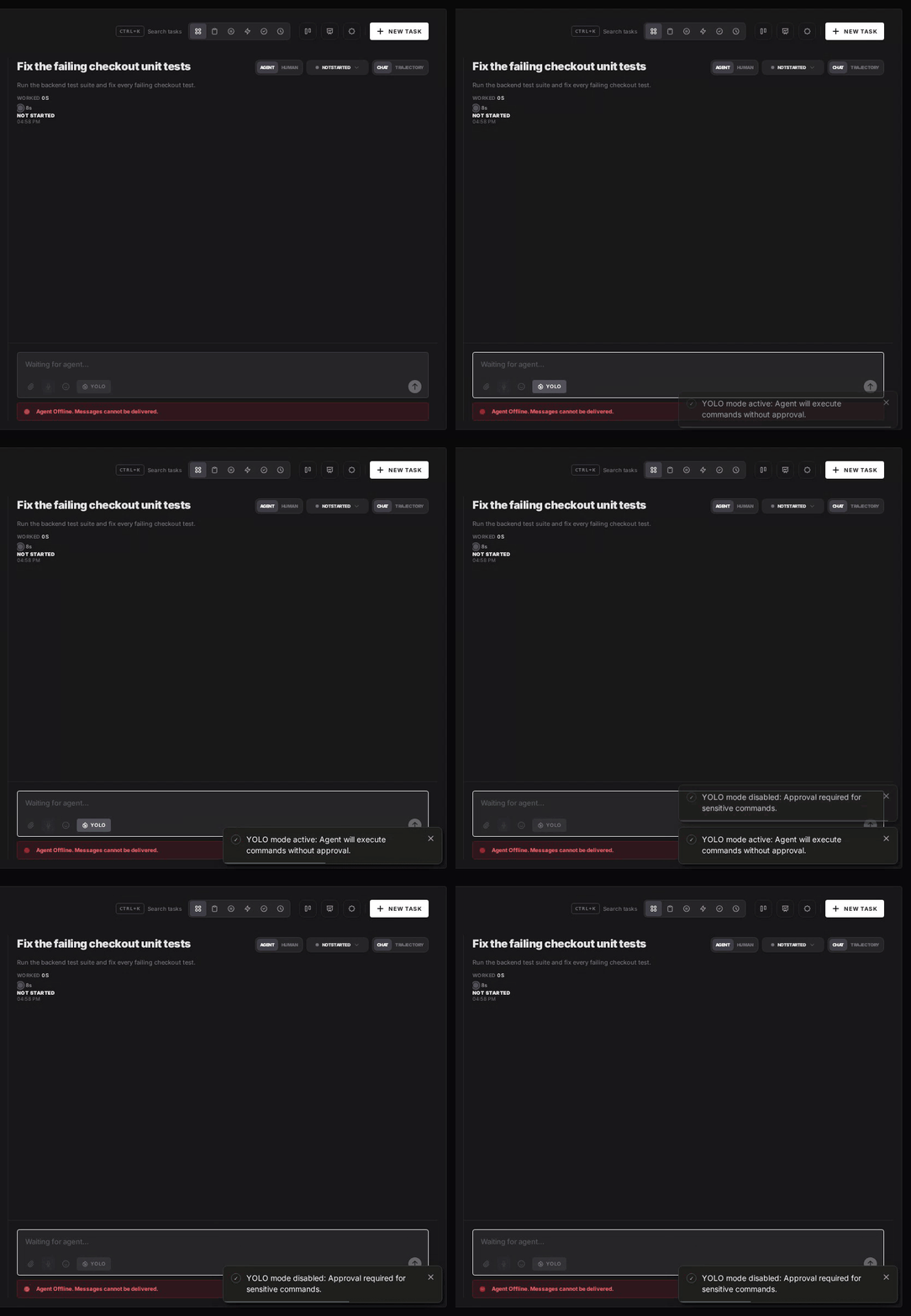
Flip the YOLO toggle on a task, or when you create it, to put just that task in YOLO mode. Every permission request in it is approved automatically and Hermes never waits, while every other task in the workspace still asks. Scheduled tasks, event triggers and workflow steps have the same switch, so an unattended job can run in YOLO while your interactive work stays supervised. The hardline blocklist and your approvals.deny rules still apply, because Hermes enforces them before it asks.
Turn YOLO On or Off in Workspace Settings
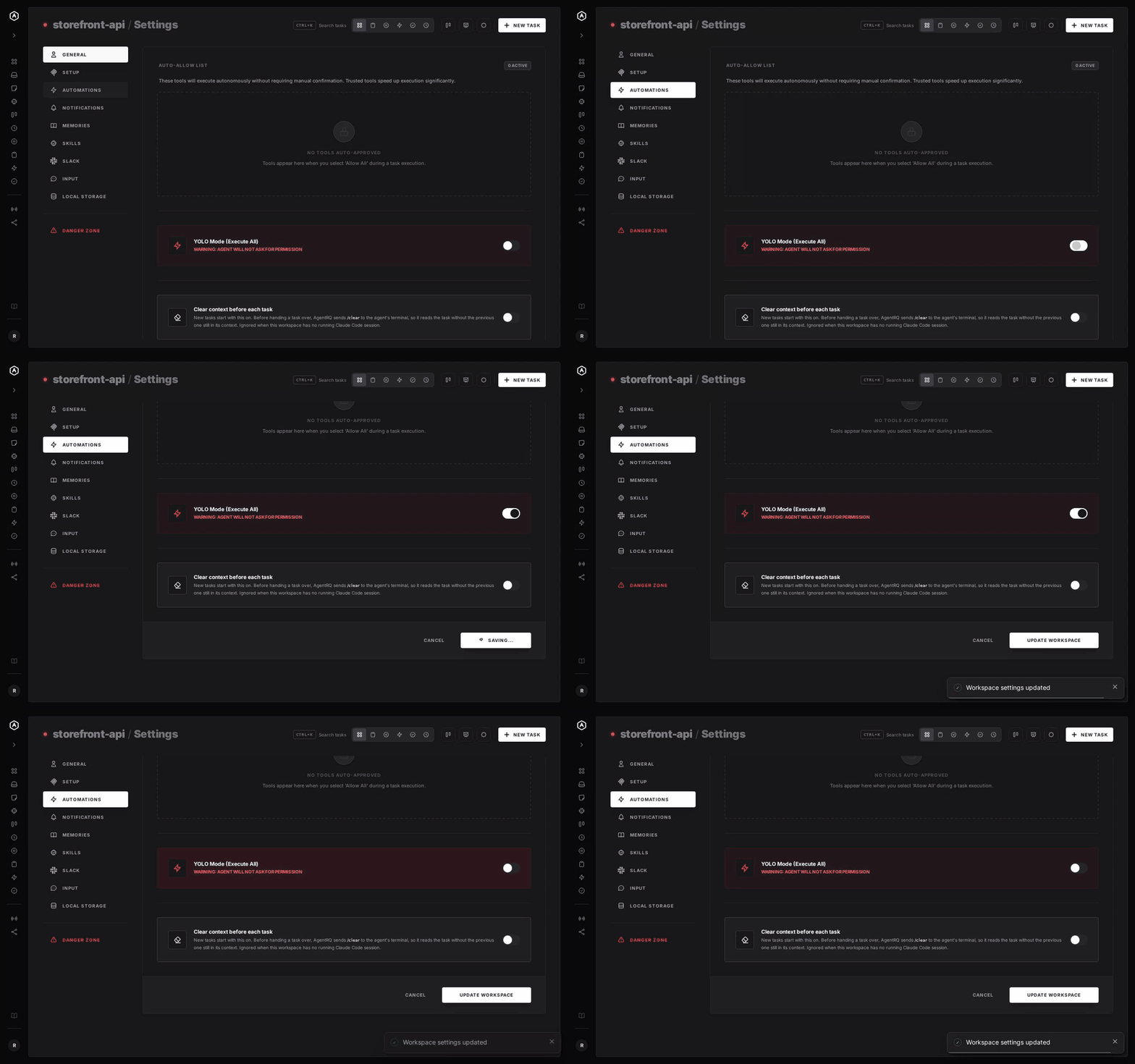
To make YOLO the default for a whole workspace, open the workspace, go to Settings, choose the Automations tab and flip YOLO Mode (Execute All). Click Update Workspace to save. Switch it off the same way. The switch is off by default, and every permission request in the workspace is approved automatically while it is on.
A Safe YOLO Setup for Hermes Agent
- → Write deny rules first. Put the commands you never want, such as
git push --force*, underapprovals.deny. They hold in AgentRQ YOLO and in Hermes YOLO alike. - → Use a container backend. With
terminal.backend: docker, a mistaken command stays inside the container. - → Allow the boring tools, not everything. Always Allow adds the tool to the workspace's auto-approved list, so the routine calls stop asking and the risky ones still do. Prune that list in workspace settings now and then.
- → Leave the workspace-wide switch off. Turn YOLO on per task instead, so it never outlives the job you trusted.
- → Read the record. The tool call history lists every call the task made, including the ones that were auto-approved.
FAQ
How do I enable YOLO mode in Hermes Agent? Start it with hermes --yolo, or type /yolo in a running session.
How do I make YOLO permanent in Hermes Agent? Set approvals.mode: off in ~/.hermes/config.yaml. It covers every chat and cron job of that profile.
Does Hermes YOLO mode allow rm -rf /? No. The hardline blocklist refuses it and a few other catastrophic commands in every mode.
Which commands does Hermes Agent ask about? Only commands that match its dangerous-pattern list. In the default smart mode, a helper model approves the low-risk ones too.
Does Hermes Agent have a sandbox? Yes, if you choose a container backend such as Docker, Modal, Daytona or Vercel Sandbox. The local backend runs commands on your machine.
How do I approve Hermes Agent commands remotely? Connect hermes acp to AgentRQ through the ACP Gateway. Its permission requests show up in the task on the web, your phone or Slack.
For every other agent, see what YOLO mode is and how to turn it on in every coding agent.