
How to Enable YOLO Mode in Pi
You do not need to enable YOLO mode in Pi: it is always on. The Pi coding agent does not ask before it reads, edits or runs anything, so there is no switch to flip. The real question is how to add approvals, and Pi's answer is an extension.
This page is one of our YOLO mode guides, and part of our guide to YOLO mode in every coding agent. Everything below was checked against the Pi source and docs (badlogic/pi-mono, coding agent 1.4.0) and the pi-acp adapter (svkozak/pi-acp 0.0.34) on October 30, 2026.
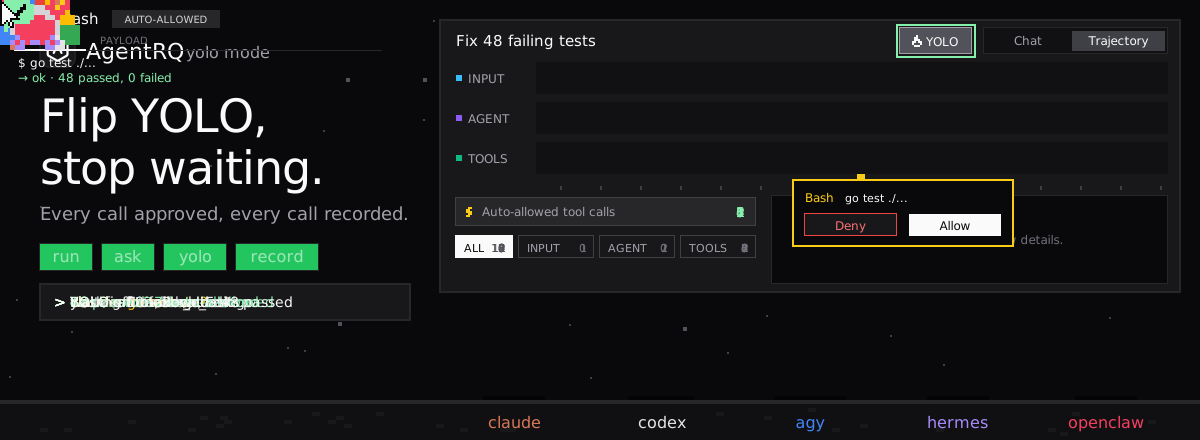
Does Pi Have a YOLO Mode?
Not as a setting, because Pi has nothing to turn off. Its security guide says it "does not ask for approval before every tool call", and that its tools and extensions run with the permissions of the Pi process.
Two flags look like approval switches and are not. --approve (-a) trusts project-local configuration and resources, such as .pi/settings.json and .pi/extensions, for one run. --no-approve (-na) ignores them. Neither changes whether tool calls ask.
How to Add Approvals to Pi
| Goal | How |
|---|---|
| Ask before risky commands | a permission extension, such as the permission-gate.ts example |
| Fewer tools | pi --tools read,grep,find,ls |
| Drop one tool | pi --tools -write, or --exclude-tools for patterns |
| No tools at all | pi --no-tools |
Pi's repository ships an example extension, permission-gate.ts, that stops before rm -rf, sudo and chmod or chown 777 and asks Yes or No. Put it in ~/.pi/agent/extensions/ to load it everywhere, or try it once with pi --extension ./permission-gate.ts. In print mode (-p) there is nobody to ask, so the example blocks the command instead.
The same extension hook sees MCP tool calls too, so a gate can cover them as well. Pi's extension docs show one that reads each tool's MCP annotations and asks about the same calls Codex would ask about.
Sandbox
Pi has no sandbox. Its docs recommend running the whole Pi process in a container, a VM, Docker Sandboxes or NVIDIA OpenShell, and describe each setup.
How to Enable YOLO Mode in Pi Through AgentRQ
What AgentRQ adds depends on whether Pi asks. Without a permission extension Pi asks nothing, so AgentRQ has nothing to approve. With one, its prompts land in AgentRQ, and YOLO becomes a per-task switch.
Approve From the AgentRQ Task Instead of the Terminal
Connect Pi to an AgentRQ workspace through the ACP Gateway (Pi setup guide):
The pi-acp adapter starts pi --mode rpc, and in RPC mode extension dialogs are sent out instead of drawn in a terminal. pi-acp turns an extension's yes-or-no and pick-one dialogs into ACP permission requests. So with a gate like permission-gate.ts installed in ~/.pi/agent/extensions/, each command it stops shows up in the AgentRQ task on the web, on your phone or in Slack. Answer Allow Once to run it or Deny to block it, and Pi carries on. If nobody answers within 30 minutes, the gateway cancels the turn instead of guessing. Change the limit with --permission-timeout.
Without an extension, Pi still runs every tool on its own. AgentRQ still gives you the task, remote replies and the tool call history of what Pi did, but nothing waits for you.
Turn On YOLO for One Task
Flip the YOLO toggle on a task, or when you create it, to put just that task in YOLO mode. Every permission request in it is approved automatically and Pi never waits, while every other task in the workspace still asks. Scheduled tasks, event triggers and workflow steps have the same switch, so an unattended job can run in YOLO while your interactive work stays supervised.
For Pi, the toggle only answers the prompts your extension raises. Without an extension Pi is already in YOLO, and the toggle changes nothing.
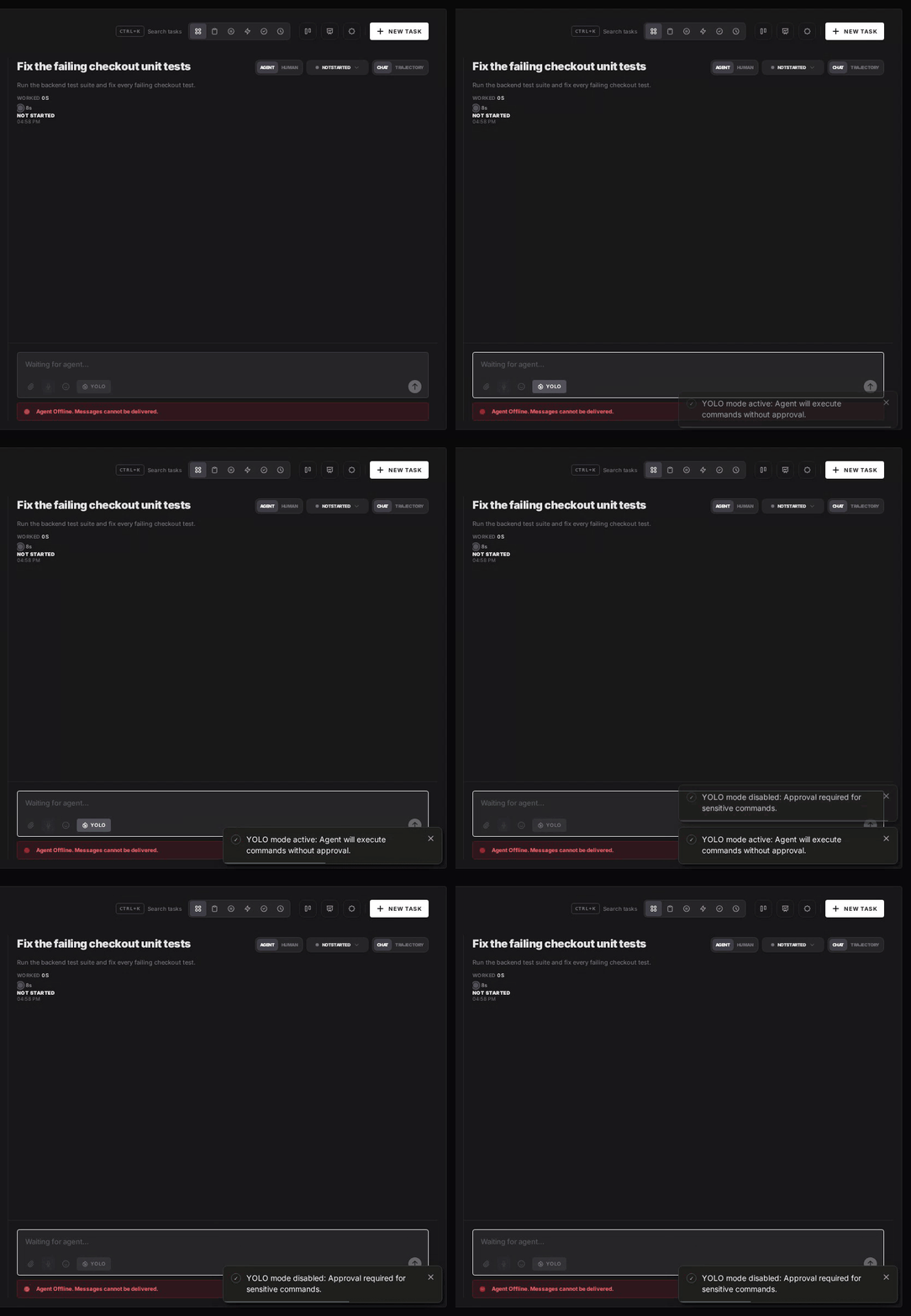
Turn YOLO On or Off in Workspace Settings
To make YOLO the default for a whole workspace, open the workspace, go to Settings, choose the Automations tab and flip YOLO Mode (Execute All). Click Update Workspace to save. Switch it off the same way. The switch is off by default, and every permission request in the workspace is approved automatically while it is on.
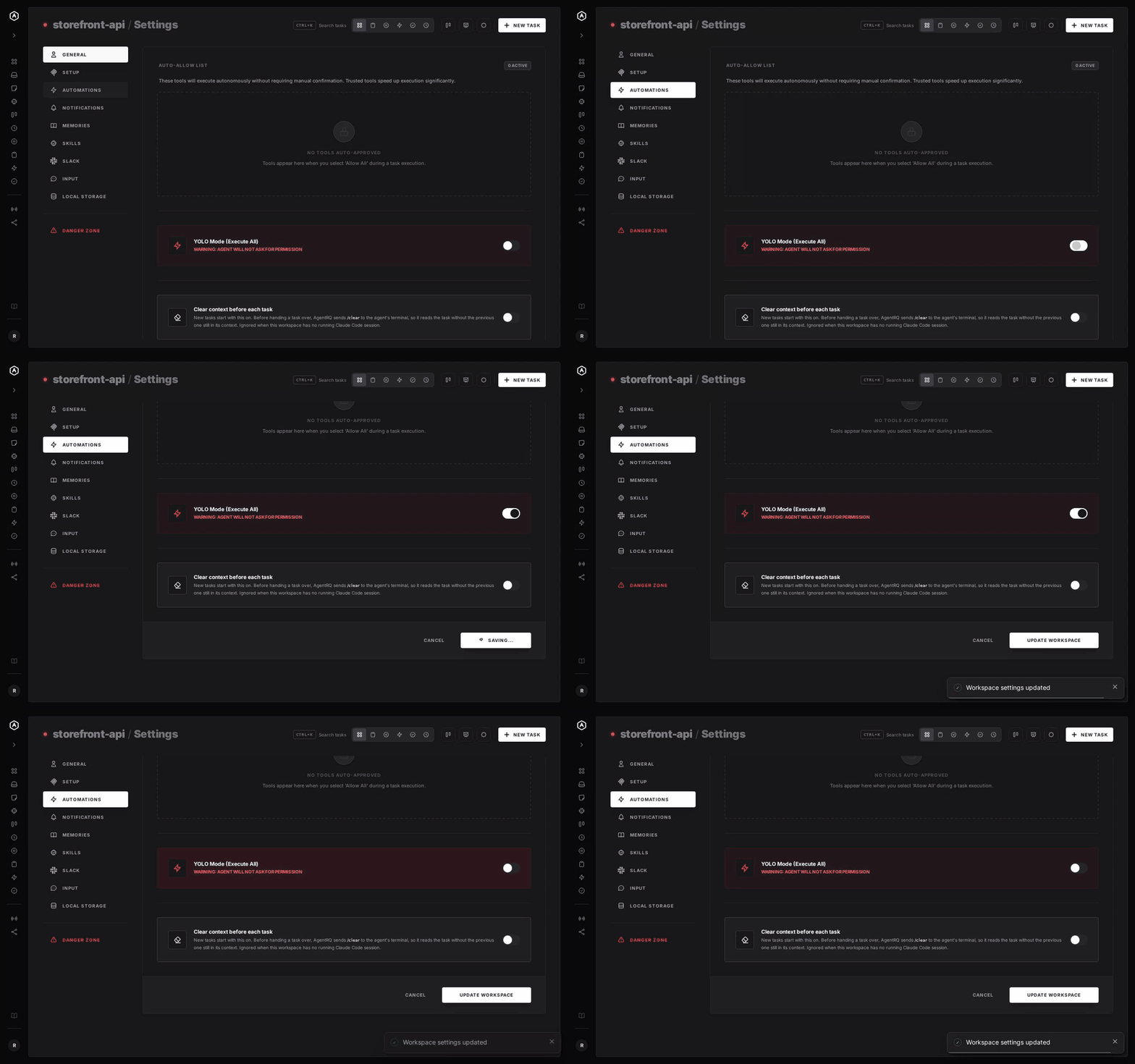
A Safe YOLO Setup for Pi
- → Install a gate before you rely on AgentRQ. A permission extension is the only way Pi asks anything, so it is what makes AgentRQ's approvals and its per-task YOLO switch mean something.
- → Limit the tools. For review or research tasks, start Pi with
--tools read,grep,find,ls. - → Leave the workspace-wide switch off. Workspace settings also has YOLO Mode (Execute All). Turn YOLO on per task instead, so it never outlives the job you trusted.
- → Bring your own sandbox. Pi has none, so run it in a container or a throwaway clone.
- → Commit first. Start every YOLO task from a clean git tree, so any change is one
git resetaway. - → Read the record. The tool call history lists every call the task made, including the ones that were auto-approved.
FAQ
Does Pi have a YOLO mode? It is always in YOLO mode. Pi does not ask before tool calls, so there is nothing to turn on.
What does pi --approve do? It trusts project-local configuration and resources, such as .pi/settings.json and .pi/extensions, for one run. It does not approve tool calls.
How do I make Pi ask before running commands? Install a permission extension, such as the permission-gate.ts example from Pi's repository, in ~/.pi/agent/extensions/. It asks before rm -rf, sudo and similar commands.
Does Pi have a sandbox? No. Pi's docs recommend running it in a container, a VM, Docker Sandboxes or OpenShell.
Can AgentRQ approve Pi's tool calls? Only the ones an extension asks about. Through the pi-acp adapter, an extension's confirm and select dialogs reach AgentRQ as permission requests. Without an extension, Pi asks nothing.
For every other agent, see what YOLO mode is and how to turn it on in every coding agent.